


Managing tool data sounds simple until you're three machines in, running two shifts, and nobody can agree on which tool list is the right one. At that point, not only do you have a data problem, but also a time, trust, and occasionally a scrap problem.
It's a pretty common place to end up. Tool data tends to spread across wherever it's most convenient: a spreadsheet here, a folder of setup sheets there, some of it in the CAM system, and a good chunk of it carried around in people's heads.
Toolhive was built for exactly this stage – small and mid-sized machine shops that need something practical, easy to get into, and actually useful on the floor.
This article walks through what Toolhive is, what capabilities it has, and how it fits into your shop.
Why we built Toolhive
For a long time, small and mid-sized machine shops had two options for managing tool data. You either built something yourself out of spreadsheets and shared folders, or you looked at enterprise software and quickly realized it wasn't built for a shop your size. The implementation costs alone were enough to close that conversation pretty fast.
That gap is exactly why Toolhive was built – to give smaller teams a dedicated place for tool data that everyone on the team can access, trust, and use without a training course or an IT department to maintain it.
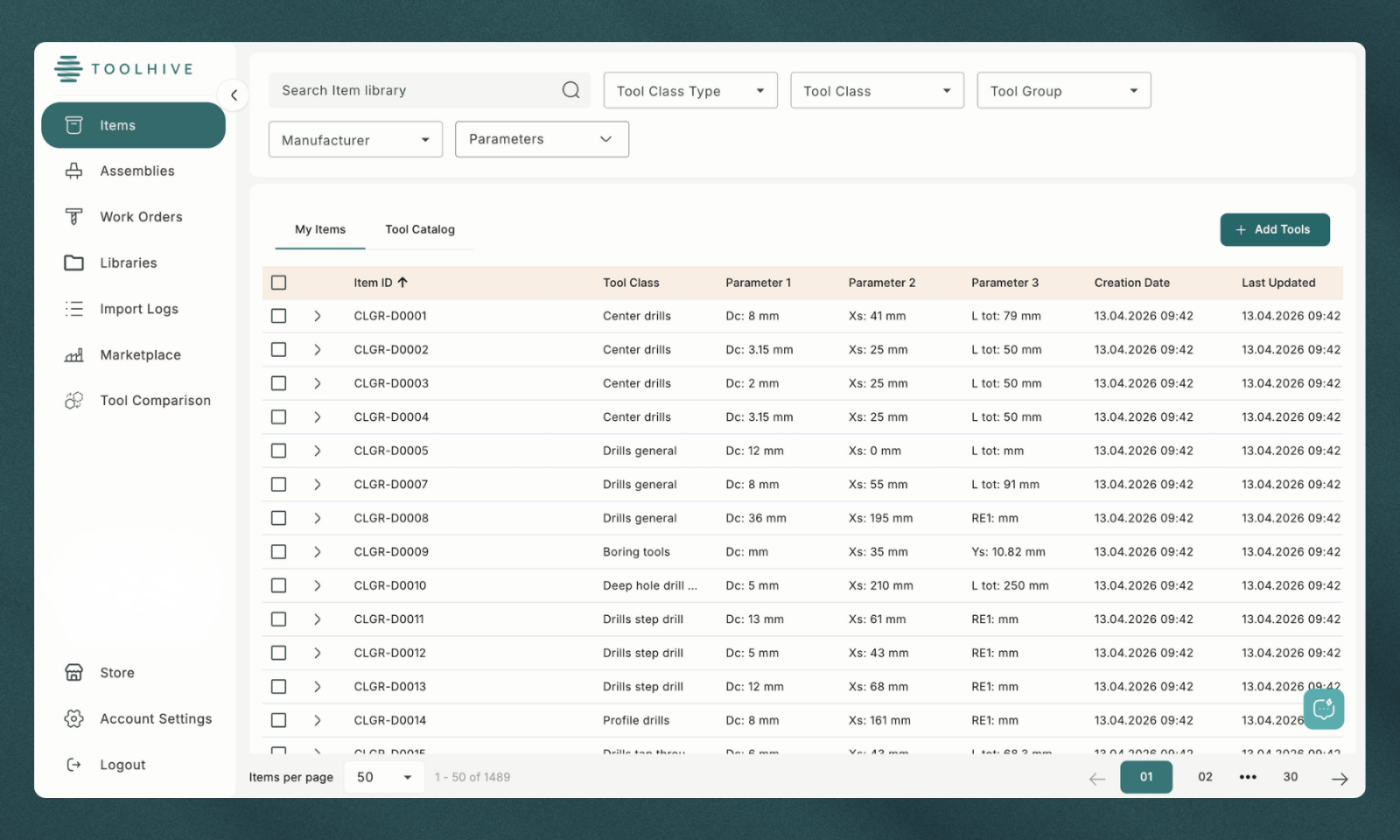
Toolhive is a cloud-based tool data management software that gives your whole team a single place to store, access, and manage all of your tool data. Instead of hunting through spreadsheets or relying on whoever set the job up last time, everyone is working from the same up-to-date library. Assemblies built once get reused across jobs, setup times get shorter because the data is already there and accurate, and when a repeat job comes back after six months, you're not starting from scratch.
What you get with Toolhive
Here’s a breakdown of what you’ll find inside the platform:
Tool library: A centralized database of your cutting tools, holders, and assemblies. Tool data is stored once and accessible to the entire team from any device, with all relevant parameters, manufacturer details, and specifications in one place.
Tool assemblies: Build and store complete tool assemblies including holder, cutting tool, and length offset data. Assemblies can be saved and reused across jobs, and linked directly to the tools available in your library.
CAM integration: Toolhive integrates directly with your favorite CAM software such as Mastercam, Cimatron, GibbsCAM, and ESPRIT EDGE, allowing tool data to be exported from your library into your CAM system without manual re-entry.
Work orders: Create and manage work orders within Toolhive with the associated tooling requirements attached. This gives the whole team visibility into what tools are needed per job, what's currently available, and what needs to be sourced before production starts.
Mobile and browser access: Toolhive runs in a standard browser on any device, with no installation required. The same tool library and work order data is available in the office and on the shop floor.
Who is Toolhive for?
Toolhive is designed for small and mid-sized machine shops, typically running anywhere from a handful of machines to larger multi-shift operations. It's particularly useful for shops that have outgrown manual tracking but aren't looking for the complexity or cost of enterprise tool management systems.
The people who get the most out of it day-to-day tend to be CAM programmers managing tool libraries and assembly creation, shop floor managers keeping track of what's available and what's needed per job, and shop owners who want better visibility into tooling without adding administrative overhead.
Getting started with Toolhive
If you've been thinking about getting your tool data into one place, there's no better time to start than now. Toolhive is completely free for 90 days, no credit card required, if you want to see how it fits into your shop before committing to anything.
By the time the trial is up, having accurate tool data at your fingertips will just feel like the natural way to run a shop.