


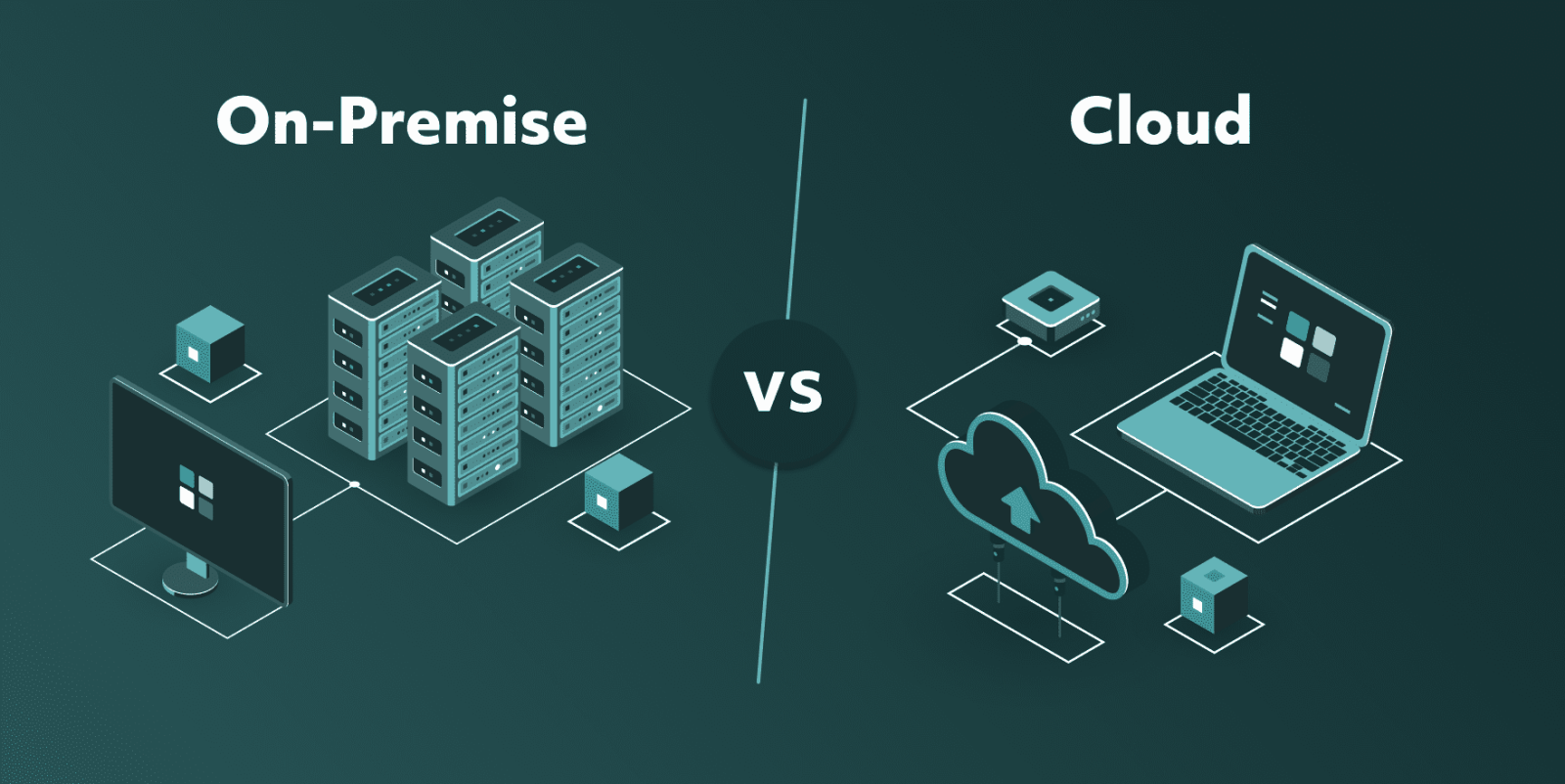
If you've been looking into tool management software lately, you've probably come across the on-premise vs. cloud debate. And if you're running a small or mid-sized machine shop, your reaction was probably something like: this doesn't feel like it's written for me.
The truth is that it probably isn't. Most of that conversation is aimed at large manufacturers with IT teams, server infrastructure, and implementation budgets to match. Smaller shops tend to land on spreadsheets instead, or some combination of spreadsheets, paper setup sheets, and institutional knowledge.
So let's break down what the difference between on-premise and cloud actually is, and what it means for a shop your size.
What is on-premise software?
On-premise software is exactly what it sounds like - you buy the software, it gets installed on your own computers or servers, and it lives there. Your data stays on-site, your team accesses it from machines connected to your internal network, and any updates, maintenance, or troubleshooting are handled by whoever manages your IT setup.
This became the standard simply because it was the only option for a long time. Before reliable internet infrastructure existed, keeping software and data on-site wasn't really a choice, it was just how things worked. Large manufacturers built their operations around it, invested heavily in the infrastructure to support it, and the software vendors built their products to match that environment.
On-premise systems were designed from the ground up for operations with the resources to support it, such as dedicated IT staff, large teams, and the budget to bring in outside help when needed. Implementation alone often meant hiring a consultant or paying the vendor directly for on-site setup, and that was before anyone had actually started using the thing.
What changed with cloud-based software
Cloud-based software flipped the model, so instead of buying software and hosting it yourself, you access it through a browser or app, and everything runs on the vendor's servers, not yours. Your data lives online, updates happen automatically, and there's no installation, no internal IT overhead, and no server to maintain. Because the software lives on the vendor's infrastructure, they are responsible for keeping things running, secure, and up to date, so maintenance and improvements happen in the background without any action needed on your end.
For the people using it day to day, it just means logging in from whatever device is nearby – a laptop in the office, a tablet on the shop floor, or a phone between jobs. From a cost perspective, cloud software typically runs on a subscription model rather than a large upfront license fee, which makes it a lot more accessible for smaller companies that don't want to commit to a significant investment before knowing if the system actually works for them.
So what does this mean for your shop?
If you're running a small or mid-sized machine shop, the on-premise vs. cloud debate probably never applied to you in the first place. Most shops at that scale went straight from paper and spreadsheets to whatever was available and affordable. Cloud-based tool management is the first time a genuinely practical option has existed for smaller operations. There's no infrastructure to set up, no consultant to bring in, and no six-month implementation project standing between you and actually using the thing. You sign up, get your tools in the system, and start from there.
That said, on-premise still makes sense in some specific situations, and the choice comes down to your shop's infrastructure and industry requirements.
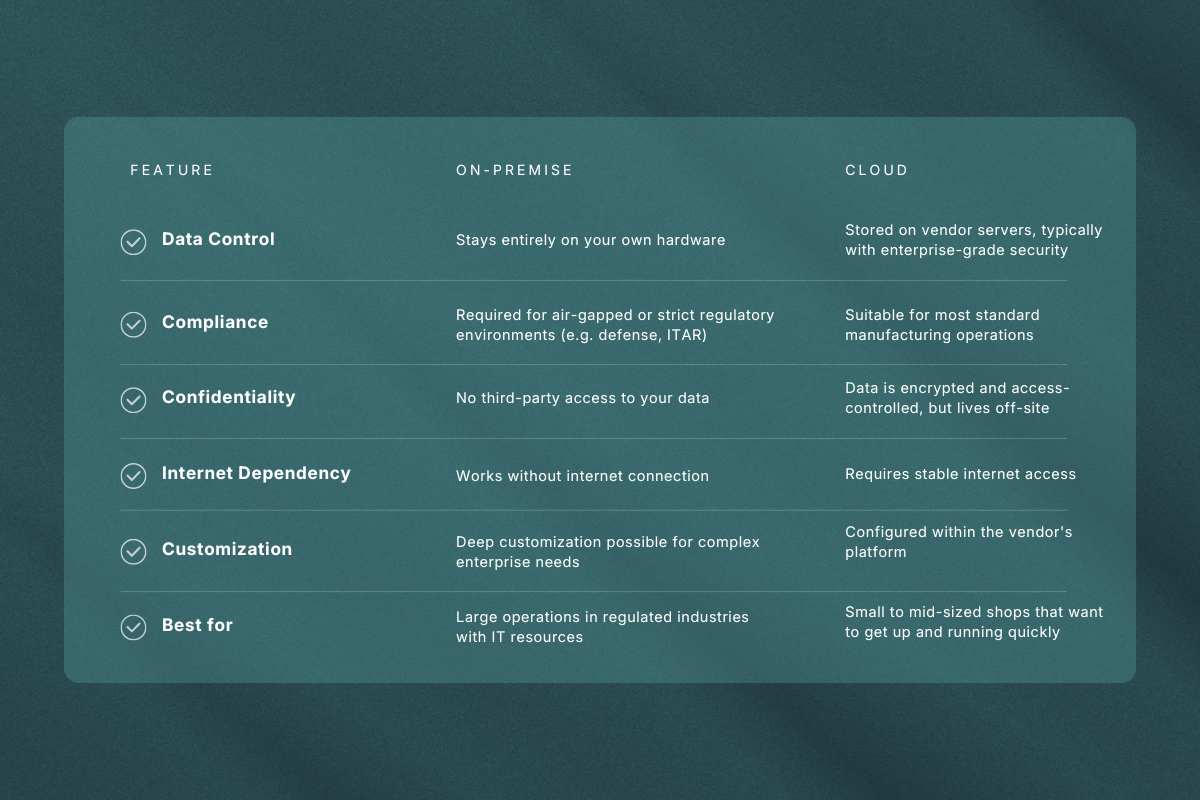
The industry has moved predominantly toward cloud, and for most shops, that shift has made tool management software accessible in a way it simply wasn't before. What used to require significant investment, internal resources, and months of implementation can now be up and running in a matter of days. That's a meaningful change for smaller operations that previously had no practical entry point into proper tool management.
And that changes the cost conversation significantly too.
What are you actually paying for?
The price difference between on-premise and cloud systems goes beyond the initial number on the invoice.
With on-premise software, the upfront license fee is just the starting point. On top of that, most implementations require outside help to get the system configured and your tool data loaded properly, whether that's a consultant or the vendor's own onboarding team. Then there's the ongoing cost of maintaining the infrastructure, managing updates, and handling anything that breaks along the way.
For large operations with dedicated staff and big tooling budgets, these costs are manageable. For a smaller shop where everyone is already wearing multiple hats, they can quickly make the whole thing feel more trouble than it's worth.
With cloud-based tool management, you pay a recurring subscription fee, and hosting, maintenance, updates, and support are already included in that price. There's no implementation project to budget for, no IT overhead, and no surprise costs when something needs fixing. For a small or mid-sized shop, that predictability matters because it means you can start with a clear sense of what the system will cost you, and scale as your operation grows.
The final verdict
On-premise and cloud-based tool management software were built for different realities. One came out of an era when large manufacturers had no other option, and was designed to match the resources and complexity of those operations. The other removed most of the barriers that made proper tool management inaccessible for smaller shops in the first place.
If you're running a small or mid-sized machine shop, the choice is less about weighing two equal options and more about finding something that actually fits how your shop operates today. A system that's easy to get into, straightforward to maintain, and doesn't require a dedicated person just to keep it running. That's what the shift to the cloud has made possible, and for most shops, that's enough to make this decision a pretty simple one.