


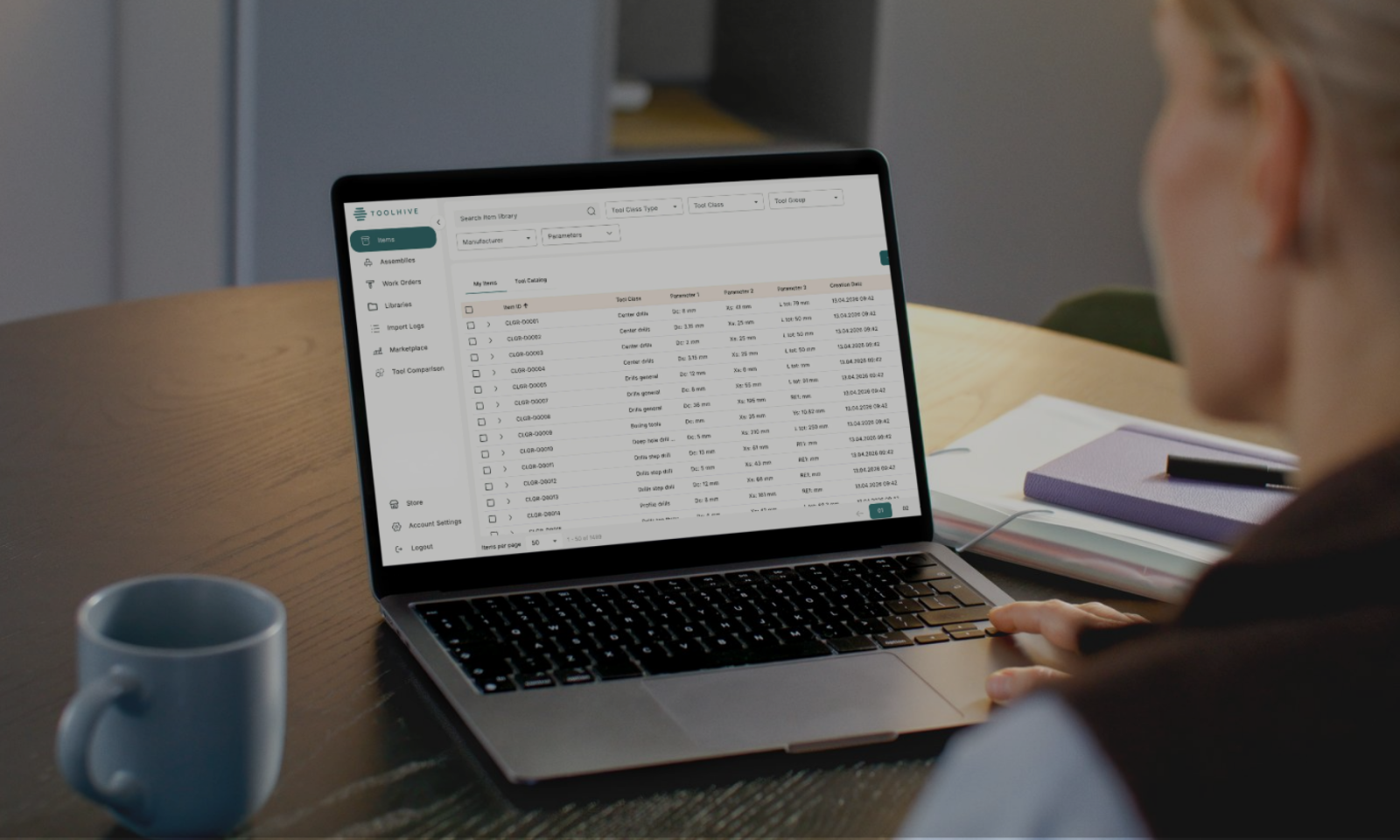
Tool management software is a dedicated system for storing, organizing, and accessing all of your tool data in one place. Instead of hunting through spreadsheets, setup sheets, or someone's memory to find out which tool runs which job, what speeds and feeds were used last time, or whether a specific insert is even in stock, everything lives in a single, centralized system that everyone on your team can access.
In this article, we'll cover what that actually looks like in a machine shop, what problems it solves, and how to know whether your shop is at the point where it makes sense to have one.
What tool management software actually does
At its core, tool management software does a few things that spreadsheets and paper systems can't do reliably at scale.
It keeps your tool library current and accessible. Every cutting tool, holder, and assembly your shop uses lives in one place, with all the relevant parameters, manufacturer details, and cutting data attached. Anyone on the team can pull it up from a laptop in the office or a tablet on the floor, and they're all looking at the same information.
It makes building and reusing tool assemblies faster. Instead of recreating an assembly from scratch every time a job comes around, you build it once, save it, and it's there the next time that job comes back. The speeds and feeds that took a few runs to dial in don't disappear when the job is done, they stay attached to the assembly, where anyone can find them.
It connects your tool data to your CAM system. Most tool management software integrates directly with CAM platforms, which means tool data moves from your library into your programs without manual re-entry. This gives you visibility into what you actually have, what's physically in the shop, what's in use, and what needs to be ordered before a job starts.
Who it's built for
Tool management software exists across a pretty wide range of scales, from enterprise systems designed for large manufacturers with hundreds of machines and dedicated tool cribs, to cloud-based solutions built specifically for smaller operations.
The enterprise end of the market, systems that require onsite implementation, dedicated IT support, and significant upfront investment, was where the category started. For a long time, that meant smaller shops either couldn't afford it, couldn't support it, or both.
But that's changed, and now, the cloud-based tool management software has brought the barrier to entry down significantly. For a small or mid-sized CNC machine shop running anywhere from a handful of machines to a larger multi-shift operation, a cloud-based system is now a realistic option, especially since it doesn't require servers, implementation projects, or IT department involvement.
The shops that get the most out of it are typically running high-mix work across multiple machines, where the same jobs come back every few months, and nobody can quite remember how they were set up last time. If your programmers are rebuilding assemblies from scratch on repeat jobs, or if your operators are making walkabouts to track down tools that should already be staged, tool management software starts to pay for itself quickly.
What to look for in a tool management system
Not all tool management software works the same way, and the features that matter most will depend on how your shop operates. That said, a few capabilities tend to make a meaningful difference regardless of shop size.
- Centralized tool library – All tool definitions, cutting parameters, and assembly data stored in one place, with everyone on the team working from the same source. This eliminates the discrepancies that build up when programmers are pulling data from different spreadsheets or outdated setup sheets.
- Integration with CAM software – Direct integration with CAM platforms means tool models, geometry, and cutting parameters move from your library into your programs without manual re-entry. This speeds up toolpath creation and removes a common source of programming errors.
- Real-time collaboration – CNC and CAM programmers can access the same tool assemblies, cutting data, and parameters as the machining teams, so any changes in tool specifications are quickly recorded, ensuring smoother communication and more efficient planning and production.
- Tool assembly support – The ability to create, store, and reuse complete tool assemblies, including 3D geometry, cutting conditions, and multi-component configurations, is particularly useful for shops running 5-axis or multi-spindle work where assembly accuracy is critical.
- Verified tool data library access – Some systems allow you to import tool specifications directly from manufacturer libraries, which reduces manual entry and ensures the data you're working from matches what the tool actually does.
- Historical oversight – Assembly versions can be archived and retrieved when a job comes back, and changes can be traced to a specific date and time. This matters when a repeat job needs to match a previous run exactly.
- Tool lifecycle tracking – Usage and wear data, whether entered manually or pulled from machine monitoring, gives you a clearer picture of when tools need replacing before they cause a problem on the floor.
How to know if your shop needs a tool management software?
There's no universal threshold, but a few signs tend to come up consistently among shops that have made the switch and wish they'd done it sooner.
- Your repeat jobs take longer to set up than they should: If a job that's been run a dozen times still requires someone to dig up old setup sheets, rebuild an assembly, or track down the machinist who ran it last, the knowledge is there, but the system to hold it isn't.
- Your tool data lives in more than one place: A spreadsheet here, a setup sheet there, some of it in the CAM system, some of it in someone's head. The more places it lives, the more likely it is that someone is working from an outdated or incomplete version.
- You've had a scrap or a delay caused by tool data that turned out to be wrong: One scrapped first article from a bad assembly or an outdated parameter can cost more than a year's subscription to most tool management systems.
- You're adding people or machines: The more people touching tool data, the harder it is to keep everything consistent without a centralized system. What works for one programmer doesn't scale to three.
If none of these apply, you might genuinely not need it yet. If more than one does, it's probably worth a closer look.
Ready to try one? Meet Toolhive
If you've read this far and you're thinking your shop could use a dedicated system, Toolhive is worth taking a look at.
Toolhive is a cloud-based tool data management software built specifically for small and mid-sized machine shops. It gives your whole team a single place to store and access your tool library, build and reuse assemblies, manage work orders, and connect directly with your CAM system, all from a browser, on any device, with no installation or IT support required.
If you'd like to see how it works in practice, Toolhive offers a 90-day free trial with no credit card required and no commitment. It gives you enough time to get your tools into the system, connect it to your CAM workflow, and see whether having everything in one place actually makes a difference for your shop.